monk
monkMonk: The Safe Way to Run MongoDB Atlas from Your Coding Agent
Today we're introducing our MongoDB Atlas integration: provisioning, scaling, networking, backups and recovery from your coding agent, with Monk enforcing the controls that keep production safe.
Coding agents write code. Monk deploys and operates the application in your own accounts. Today, we're introducing our MongoDB Atlas integration, bringing provisioning, scaling, networking, backups, and recovery into your coding workflow - with Monk enforcing the controls that keep production safe.
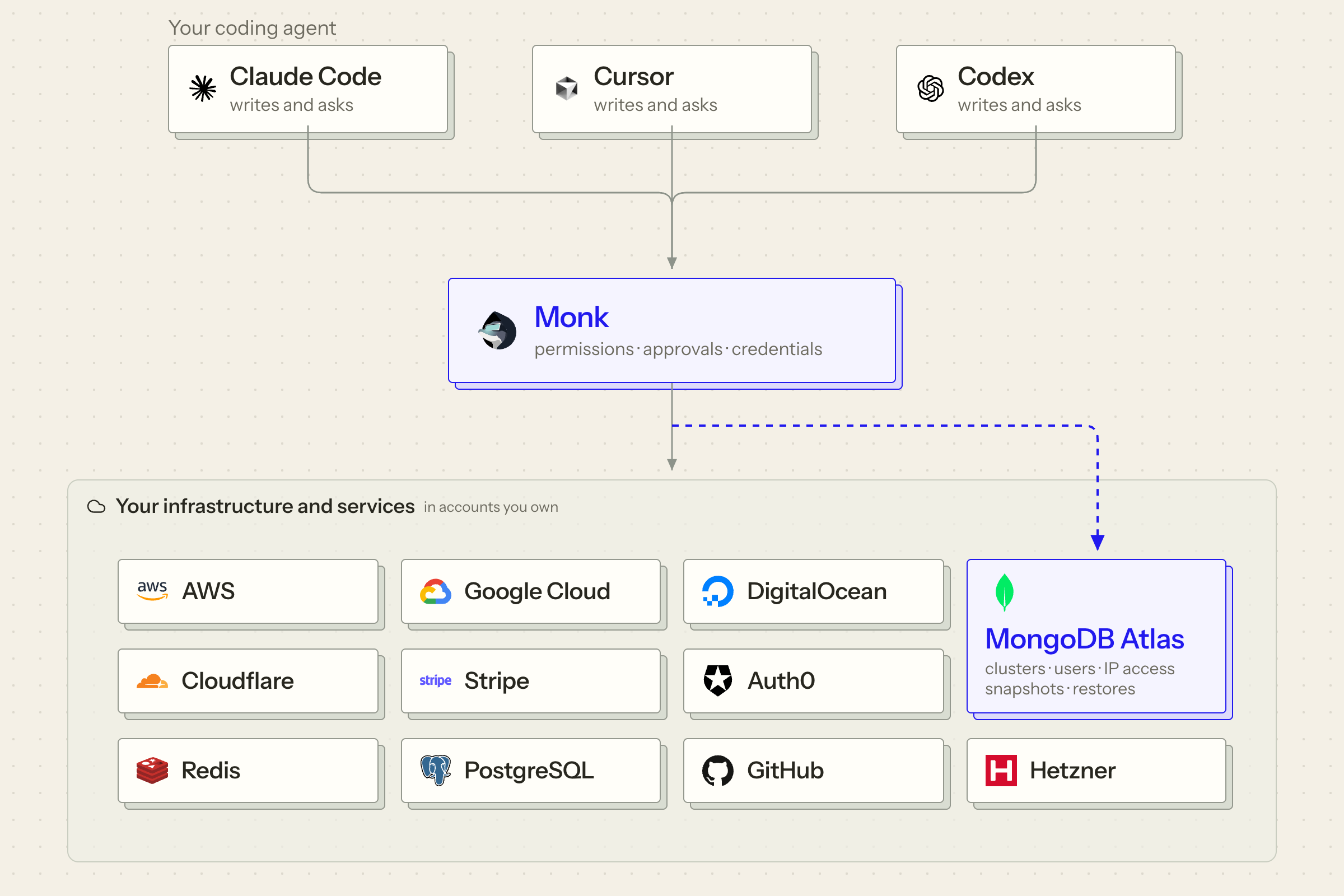
Connecting your Atlas account requires no manual API-key creation, copying, or pasting. Once connected, Monk operates Atlas alongside the services that depend on it, while keeping credentials hidden from your coding agent.
Our goal is for developers to focus on building, not on infrastructure toil. Monk’s Atlas integration removes the setup work around provisioning, networking, and backups so teams can go from idea to running application without leaving their coding agent.
Production needs more than a capable agent
A request to resize a cluster, change network access, or restore a backup needs more than an understanding of the task. It needs facts about the running system: which environment is affected, what depends on it, and who can authorize the change.
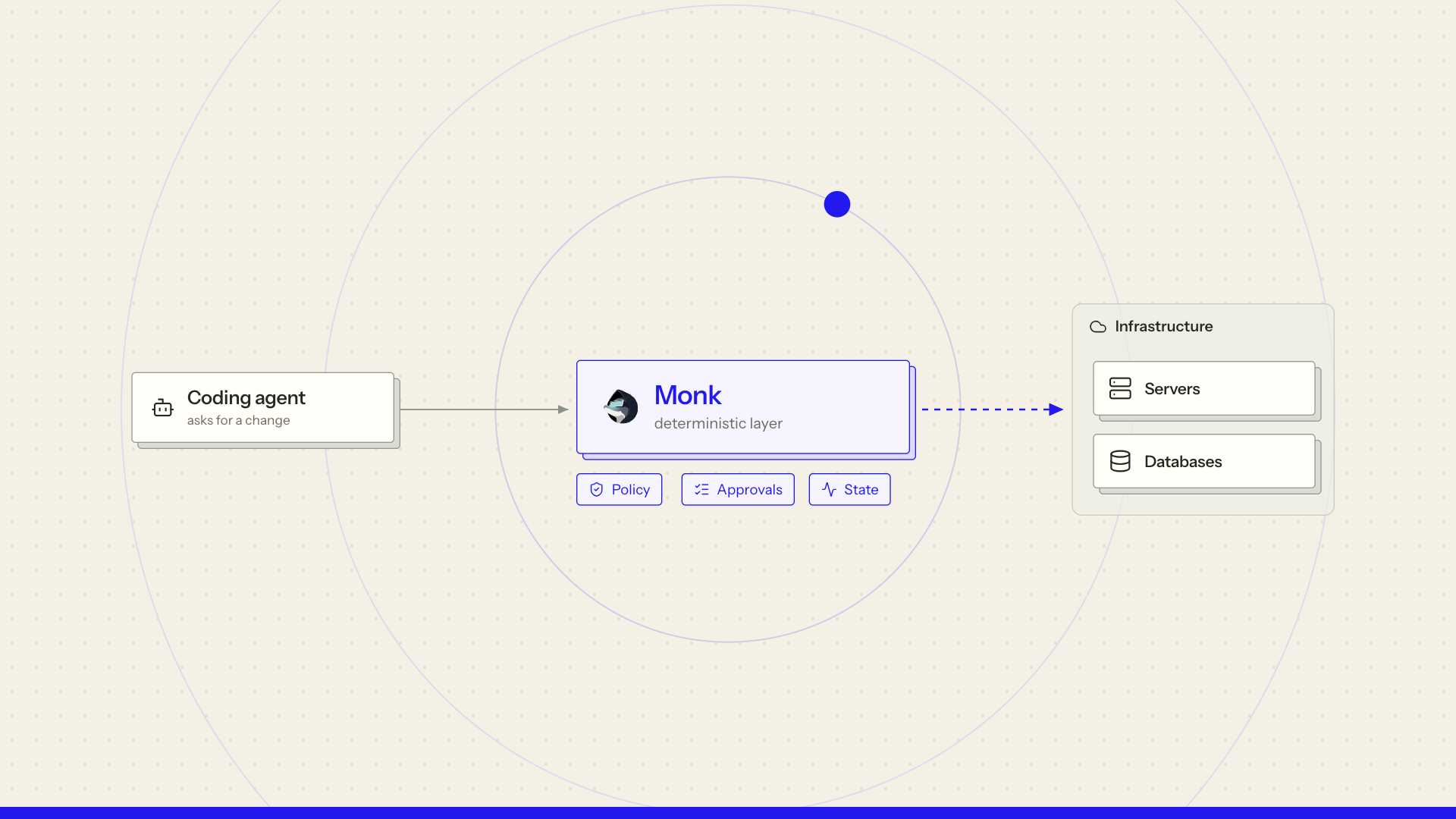
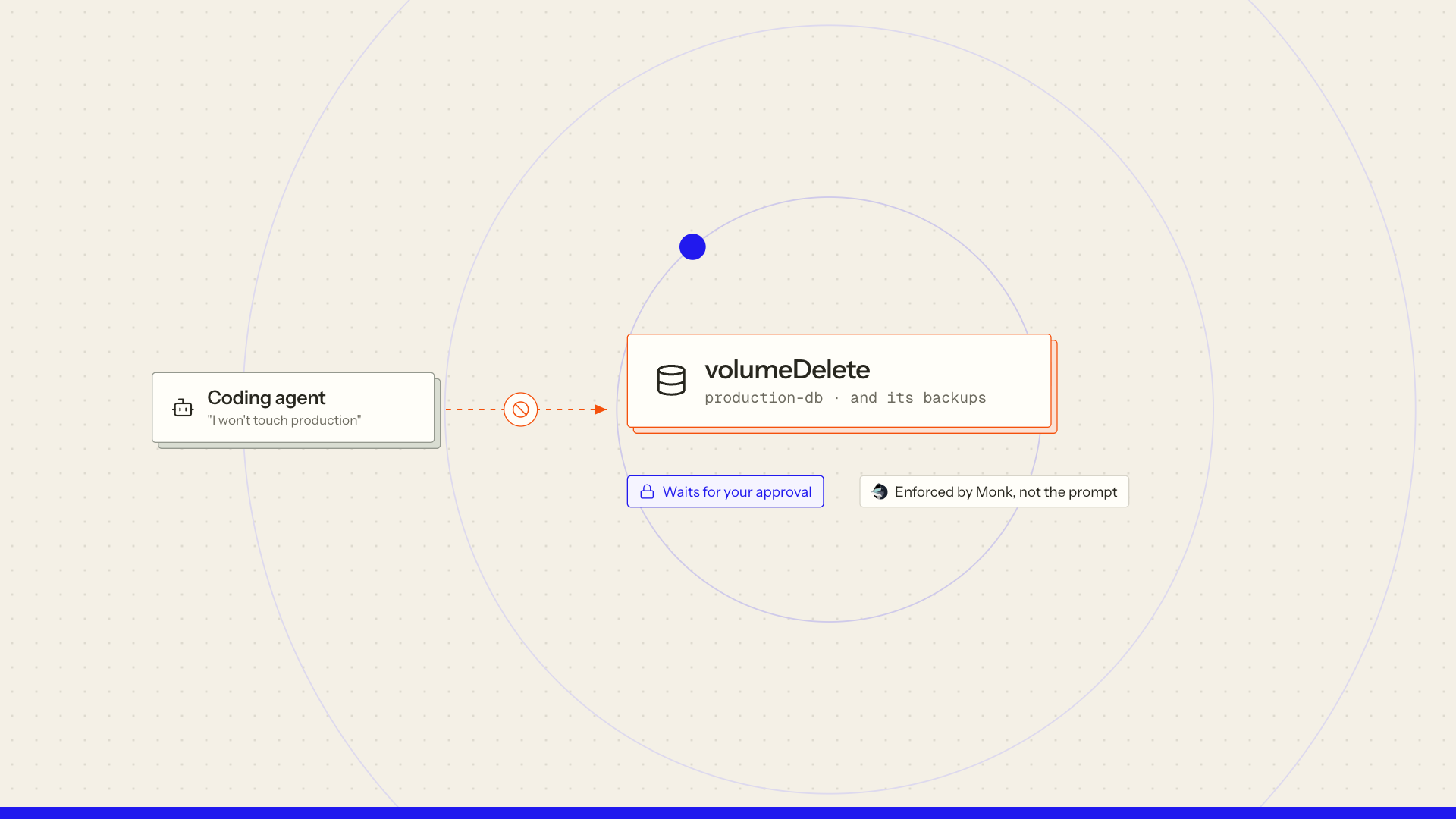
Before a production change executes, something must check whether it is allowed. Monk sits between the coding agent and your infrastructure and enforces that check. The agent requests the work; Monk verifies permissions, obtains any required human approval, and executes the change.
What is Monk?
Monk is the universal software operator, available as a plugin for Claude Code, Cursor, and Codex.
Install it, build your app or open an existing codebase, then invoke /monk to deploy. Monk examines the project, identifies dependencies, and prepares the deployment configuration for review. It then provisions resources, connects components, and deploys the application in your own accounts.
After deployment, keep working with Monk through requests like /monk show me the logs or /monk set up monitoring. Monk maintains a live map of what it operates and how everything connects. Future changes apply to the running system, and that knowledge survives the conversation - even when another developer or agent takes over.
How Monk keeps operations safe
- A live map of the application and infrastructure. Every change has the context of the system it affects.
- Deterministic execution. Changes run through defined operations with explicit inputs and checks.
- Credentials hidden from the agent. Monk's tools handle secret values; the coding agent works with references.
- Permissions checked for every action. Requests are checked against the authority of the person using the agent. Chat instructions cannot grant additional permissions.
- Human approval enforced by Monk. Protected operations, including costly or destructive changes such as deleting a cluster, wait for approval outside the coding agent's chat.
You set the rules; Monk enforces them across agents and sessions.
Operate Atlas throughout the application's life
Applications grow, services move, and teams need confidence that they can recover when something goes wrong. With Monk and MongoDB Atlas, your team can:
- Provision and connect. Create Atlas projects, clusters, and database users; configure network access; and connect the application, with dependencies ready before services start.
- Adjust capacity and placement. Resize dedicated clusters, request supported region or cloud-provider changes, and review estimated costs.
- Keep network access current. Automatically update Atlas IP access lists as application addresses change.
- Manage backups. Review backup configuration, create snapshots, and browse available recovery points.
- Recover and track progress. Restore snapshots or use point-in-time recovery where supported, then follow restore jobs through completion. Availability depends on the cluster tier and backup configuration.
- Create separate environments. Reuse configuration across development, staging, and production, with separate Atlas resources and scoped credentials in per-branch Monk Capsules.
For example, request a snapshot before a risky change, then browse recovery points and restore if needed, with Monk applying permissions and approvals throughout.
Monk operates Atlas alongside your APIs, workers, queues, and other dependencies, keeping database changes connected to the application they support.
Learn more
BlogWhy live state mattersCoding agents have a lot of context and almost no state. That's the architectural difference between a very smart assistant and a system you can leave to operate infrastructure. Five common situations where context runs out and state has to take over. BlogHow Monk enforces permissions and approvalsPocketOS lost its production database to a single API call in nine seconds. The standard responses — evals, prompts, permission popups — all miss the actual problem. Here's why the fix has to be structural, and what that looks like in Monk. LinkMonk integrationsMongoDB Atlas and the other services Monk connectsGet started
Install Monk, connect your Atlas account, and invoke /monk from Claude Code, Cursor, or Codex.
Use your coding agent to build your application, then invoke /monk to deploy and operate it in your own accounts, under your rules.
Keep reading